
We talked about Azure Reservation for VM in my previous blog post. If you have not read it already, I suggest you to read it.
The VM RI discounts applicable only to the VM infrastructure cost but it does not include disks or storage used. Azure Disk Storage reservations combined with Azure reserved VM instances help you reduce total VM cost.
The common rules are applicable here as well “Use it or Lose it”,
Currently, Azure Disk Storage reservations are available only for selected Azure premium SSD SKUs. But it doesn’t apply to unmanaged, ultra disks and page blob consumption.
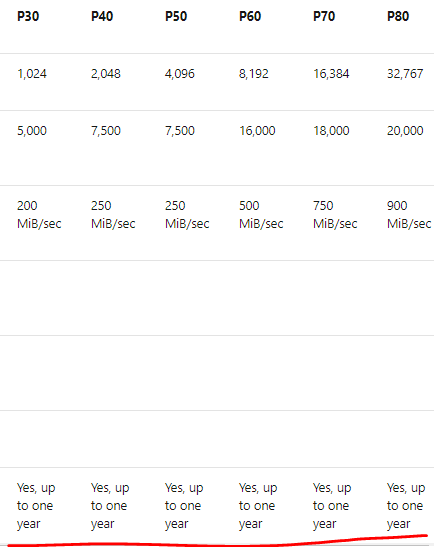
The reservation for disk is not based on capacity but it is based on total number of disks per SKU. That means you make reservation consumption based on the units of the disk SKUs instead of the provided size. Example, you cannot use P40 reservation for 2 P30 disks. It is does not have instance flexibility like in VM reservations.
Continue reading “All About Azure Reservation – Disks”
 anoop.blog